Docs
Waiting page
While a workload wakes, its visitors see a waiting page. By default it is Dormeto's: a dot, one sentence on what happens, and a counter. It can carry your name, icon and words, or be your own HTML page.
8 min read
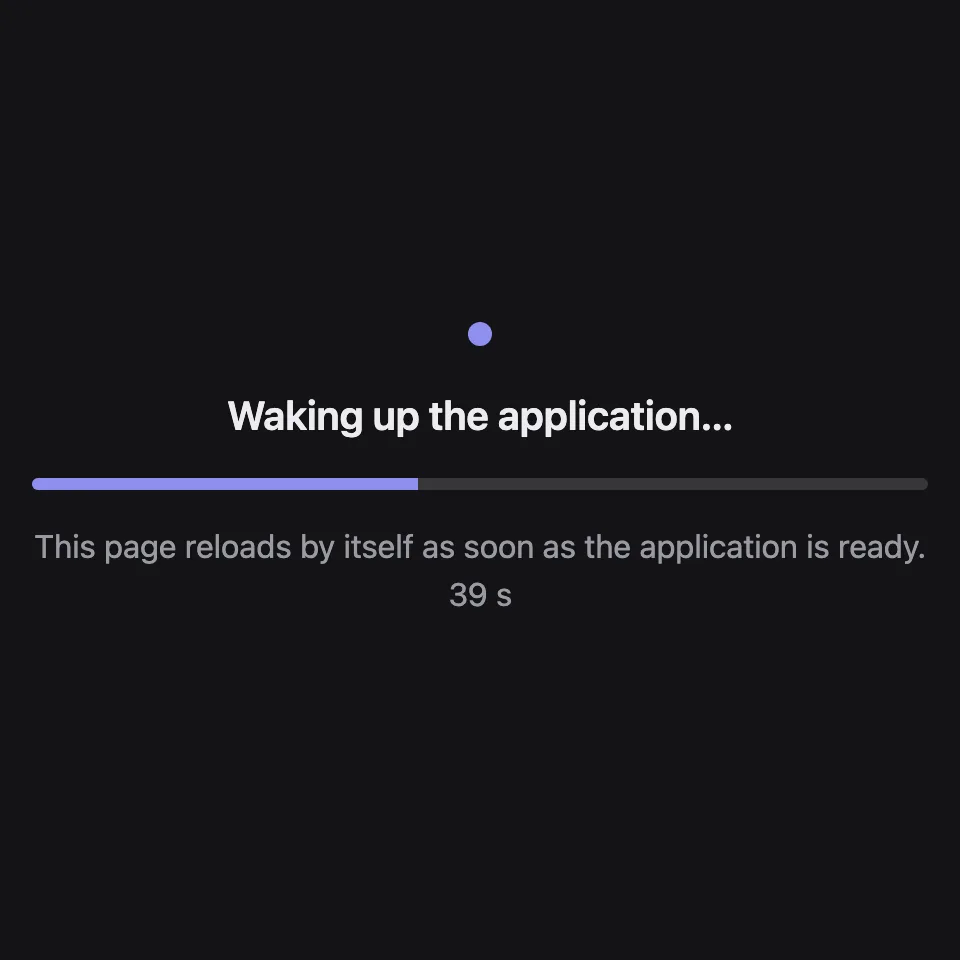
Built-in page, waking. Dormeto's own page. The progress bar fills toward the typical wake. 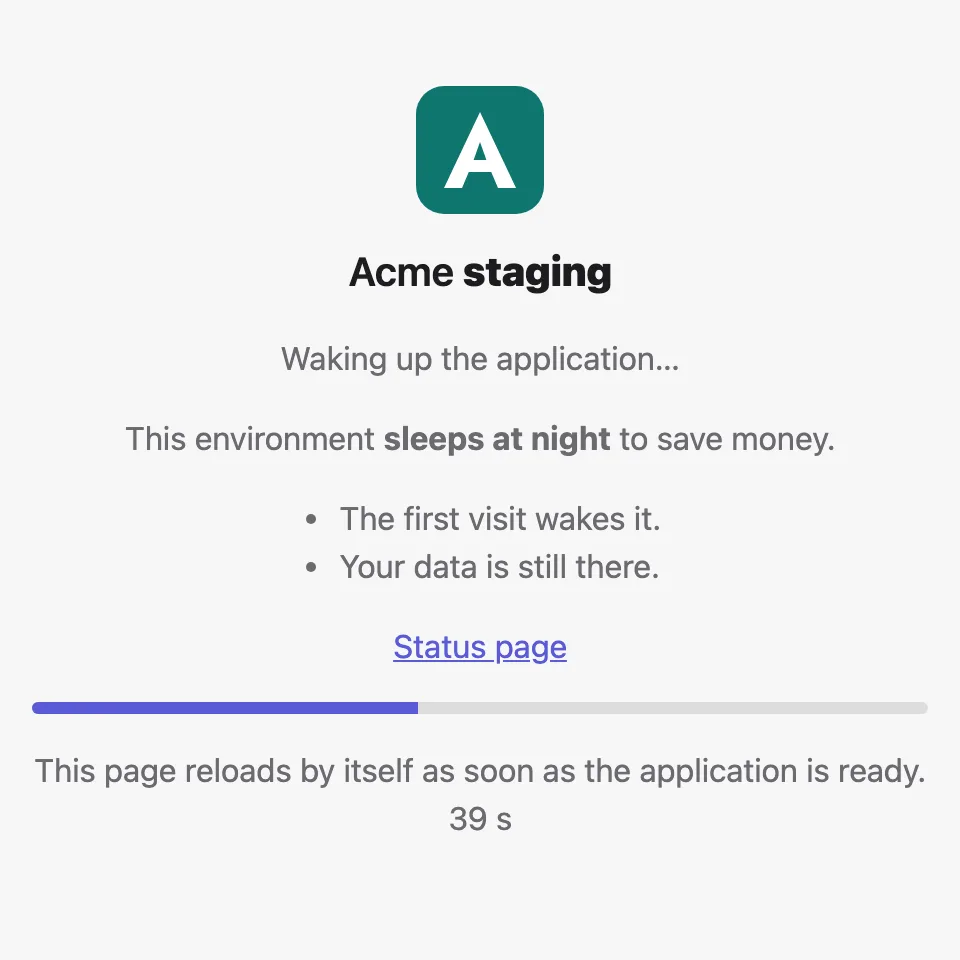
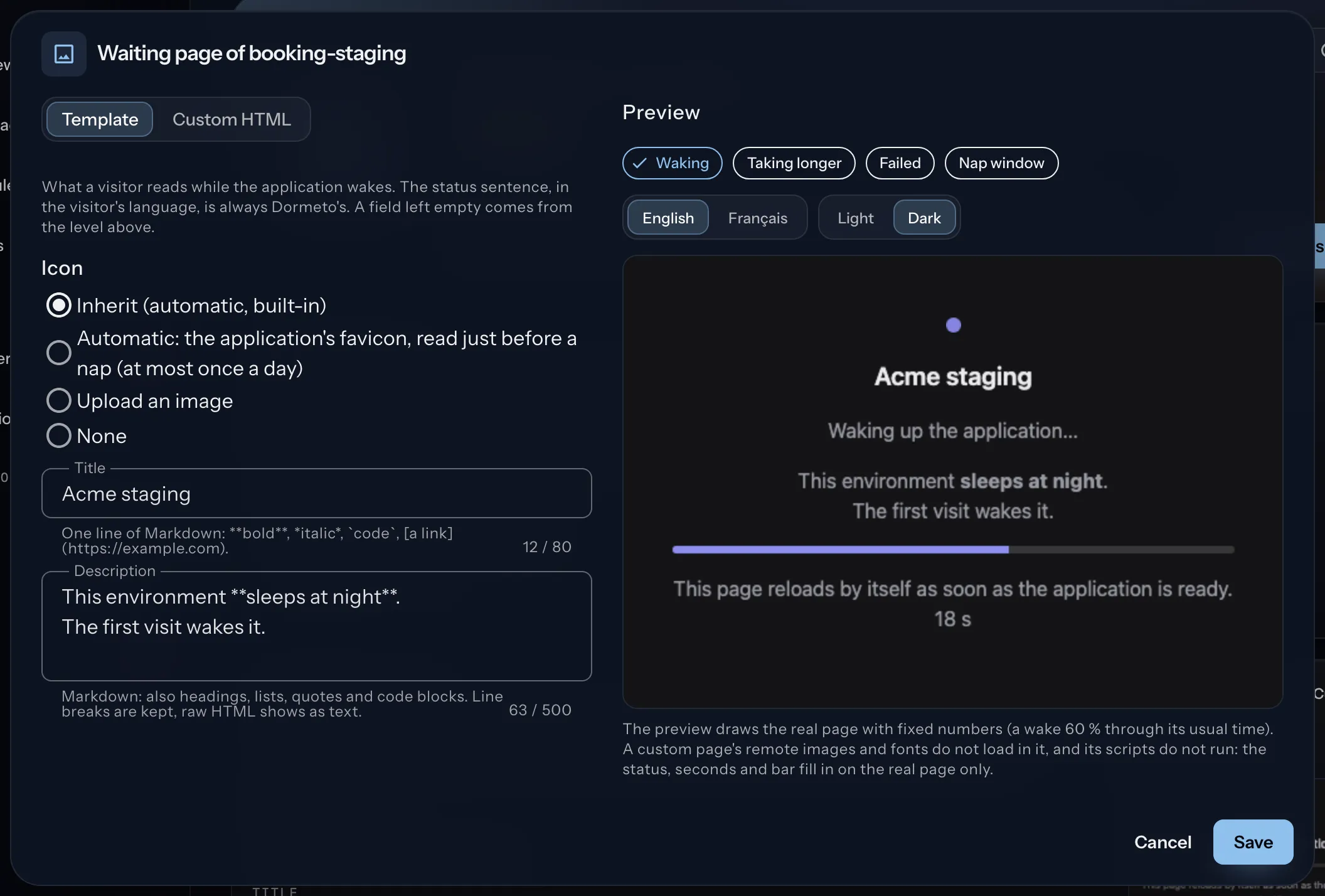
Branded template, light. An icon, a title and a Markdown description: bold, a list, a link. 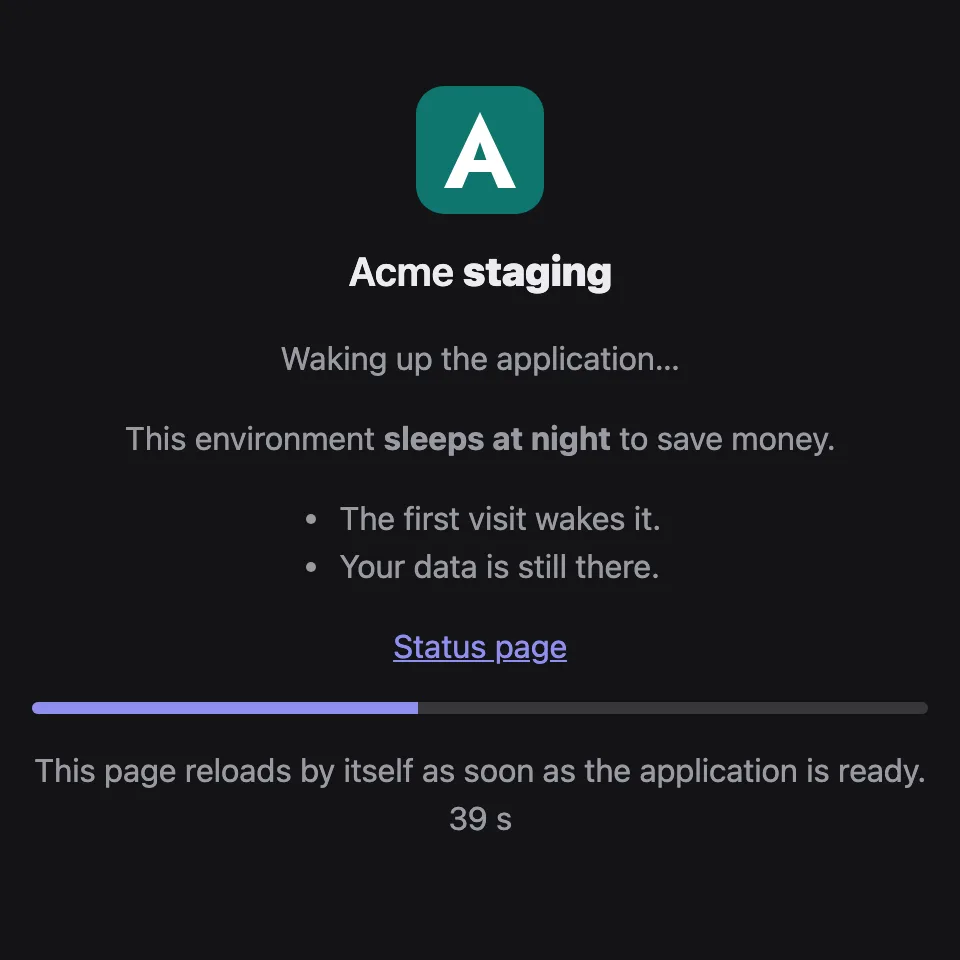
The same template, dark. It follows the visitor's color scheme. 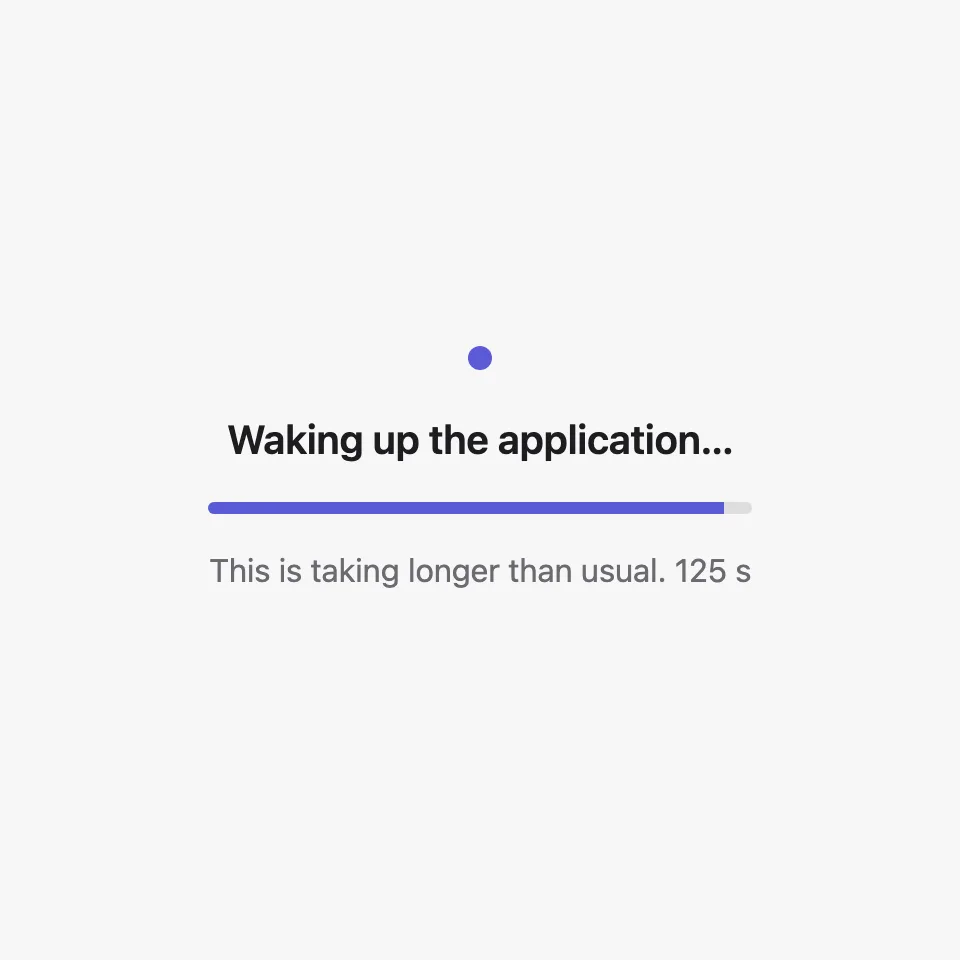
Taking longer. Past its typical time, the page says so. 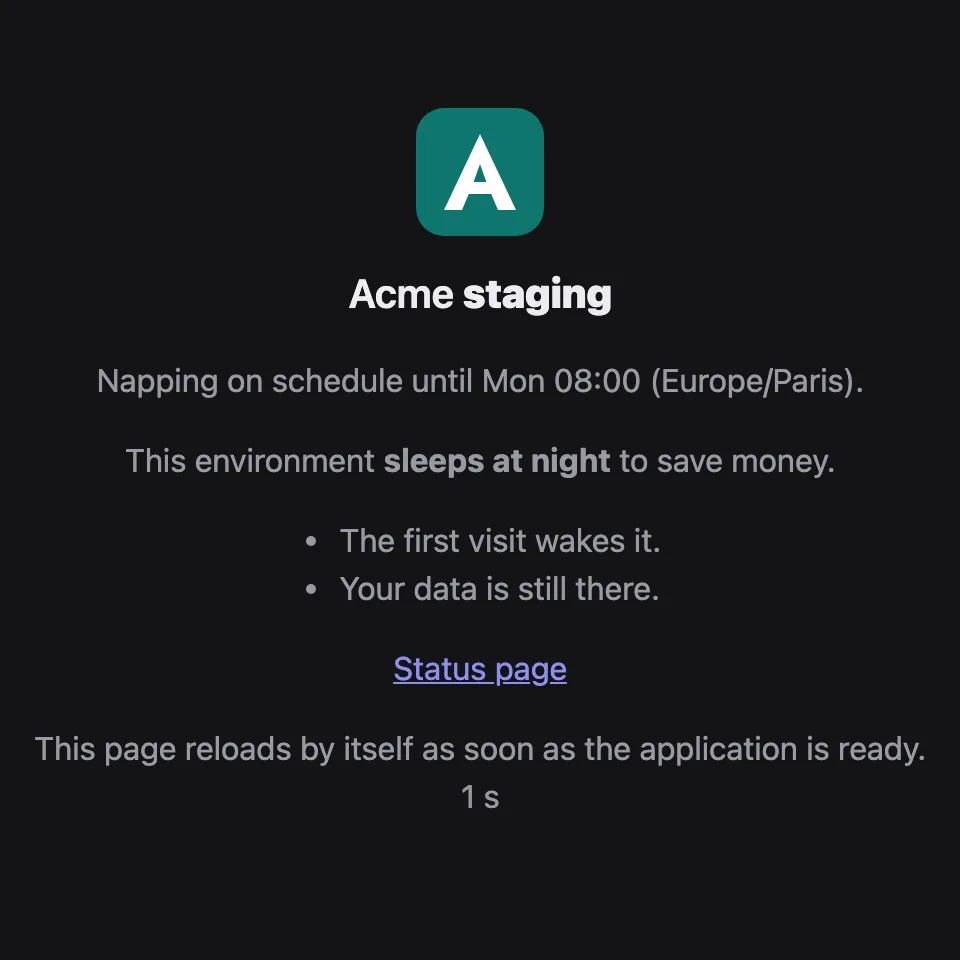
Nap window. The status says until when. No bar. 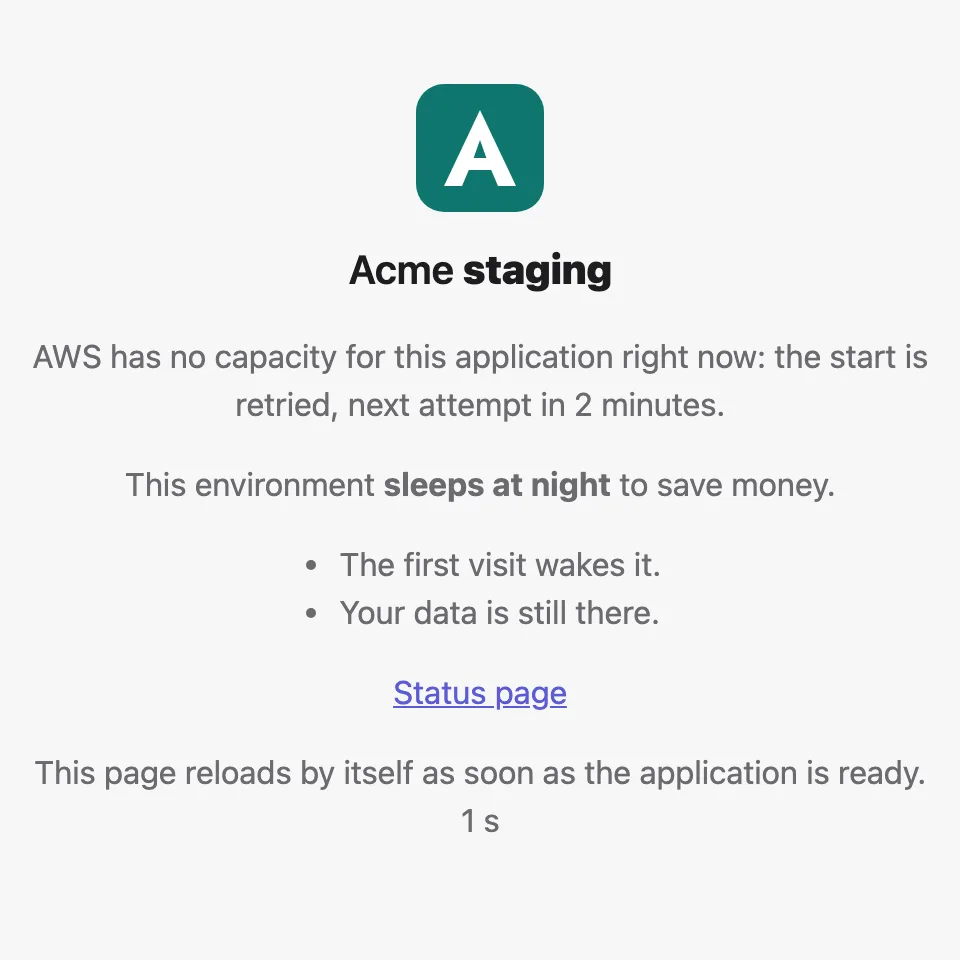
Failed wake. The status says why, and when the next attempt comes. No bar. 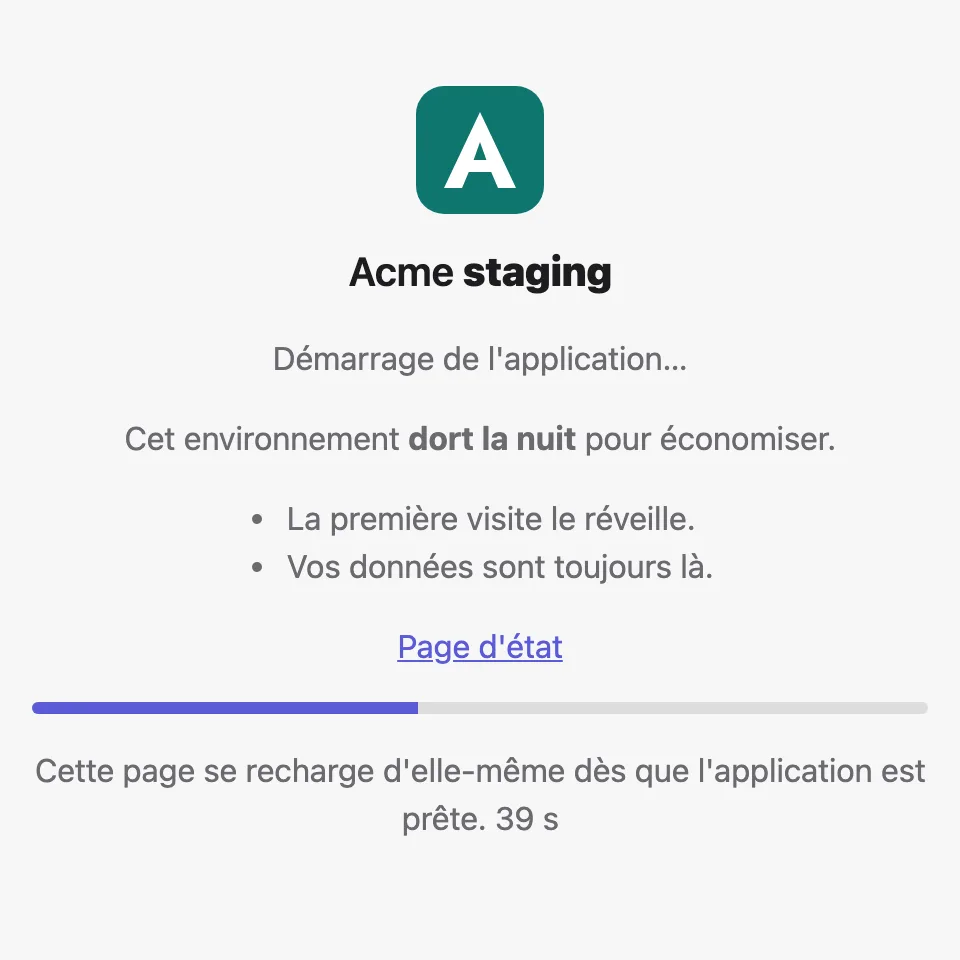
In French. Dormeto's sentences follow the visitor's language. Your words stay as you wrote them. 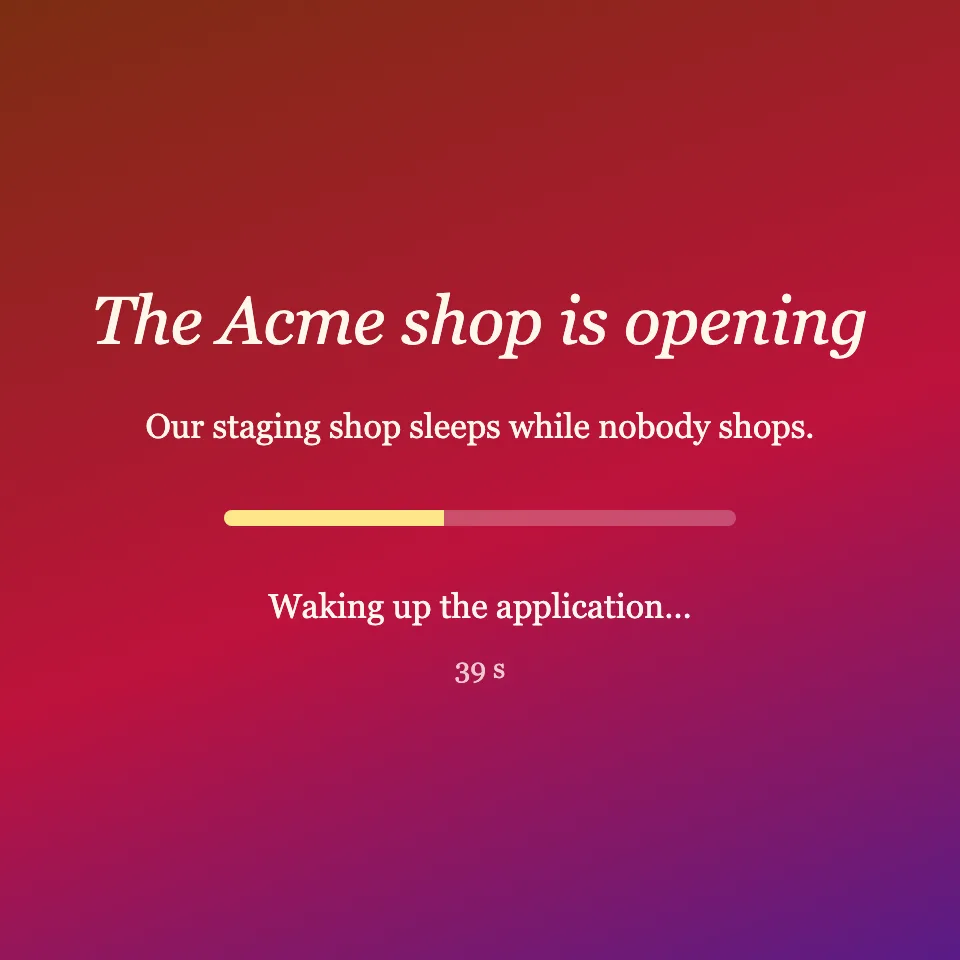
Custom page. Your own HTML. Its hooks show the status, the seconds and the bar.
Template or custom page
- Template: an icon, a title and a description, without code. Dormeto keeps its layout, colors and status sentence.
- Custom page: your own full HTML page, uploaded. It still wakes the workload (Custom page).
| Name | Values | Default | Effect |
|---|---|---|---|
| Title | up to 80 characters, on one line | inherited | The template's title. |
| Description | up to 500 characters | inherited | The template's text, in Markdown. |
| Icon | Automatic, None or Upload: PNG, JPEG, WebP, SVG or ICO, up to 64 KiB | Automatic | The template's icon (The icon). |
| Custom page | UTF-8 HTML, not blank, up to 256 KiB | — | Your page, instead of the template (Custom page). |
Both take Markdown: **bold**, *italic*, `code` and links to https:// addresses. The description also takes headings, lists, quotes and code blocks. Line breaks are kept. Raw HTML shows as text.
Where it is set
Three levels: the workload, its router, the organization (Workloads). The most specific level that has a page decides its mode.
- A template takes each of its icon, title and description from the most specific template that has it. A workload can change its title and keep the company's icon.
- A custom page at a level above is skipped for a template's fields.
- A lower level can replace an inherited title or description, not blank it. A blank field is refused; an absent one inherits.
- Only the icon can be None.
- With nothing set anywhere, the page is a template with the automatic icon.
- In the dashboard, operators and administrators set a workload's template; administrators, the rest (Security).
- Readers see the page and its card, and change nothing.
- A change at any level reaches visitors within a minute.
- The dashboard's dialog previews each state, in English or French, light or dark.
- In that preview, a custom page's scripts don't run, and its remote images and fonts don't show.
 AWS
- The workload: the Waiting page card of its page, or
dormeto aws workloads waiting-page(workloads). - The router: the Waiting page card of its page, or
dormeto aws routers waiting-page. - The organization: the Organization card of Routers › Workload defaults, or
dormeto aws settings waiting-page. - In Terraform: the workload module's
waiting_page(In Terraform).
Google Cloud
- The workload:
dormeto gcp workloads waiting-page(workloads), or a connected manager's card. - The router:
dormeto gcp routers waiting-page, or a connected manager's card. - The organization: a connected manager's (Workloads).
- Custom pages: off until an administrator's install turns them on (The custom pages switch).
The icon
- Automatic reads the application's own favicon while the workload is awake, just before a nap.
- It reads at most once a day per workload; a failed read never stops a nap.
- It reads the home page's icon (
icon,shortcut icon, thenapple-touch-icon), else/favicon.ico. Both requests show in the application's logs. - A favicon over 32 KiB is skipped: upload it instead.
- None shows Dormeto's dot, and turns the favicon read off for the level's scope. A lower level saying Automatic turns it on again for its own.
The workload's card shows one of these:
- The cached favicon and its date.
- not read yet, before the first nap.
- not read, for a custom page, None or an upload.
- Why the read failed.
No favicon is read in these cases: upload an icon instead.
- The workload sits behind an internal load balancer, which the router cannot reach.
- It has no host of its own, such as a wildcard host.
- Its
/goes elsewhere, or depends on more than the path (a rule testing a header). - Its listener is
http:only.AWS only - The application hides its favicon behind a login.
The visitor's language
- Dormeto's own sentences come in English or French, read from the visitor's
Accept-Languageheader. - The first language Dormeto supports wins:
fr-CAis French. - With no header, or none supported, the page is in English.
- Your title and description show as you wrote them.
- An API client gets JSON on its own request, in English. AWS only
- Behind CloudFront, forward the
Accept-Languageheader to the load balancer: the managed origin request policyManaged-AllViewerdoes.AWS only
The progress bar
- While a workload wakes, a bar fills toward its typical wake time, never past 95%.
- The seconds elapsed show beside it.
- Once the wake takes longer than usual, the page says so.
- No wake recorded yet: no bar, only the seconds.
- A failed wake or a nap window shows no bar.
- A page with a bar holds it at 100% while the route gets ready.
Custom page
A custom page is your own HTML. It has the status code and headers of Dormeto's page: a 503 while asleep. It comes without Dormeto's content security policy. Put images inline or at your own addresses.
- It still wakes the workload: Dormeto adds a
<noscript>refresh and its script at the very start. - They come after any byte order mark, white space, comments, XML declaration and doctype. Your doctype stays first: the browser keeps standards mode.
- The script starts waking at once, whatever your page holds. It reloads the page into the application when ready.
- The attributes of your
<html>are kept, those of your<head>dropped: put them on<html>or<body>. - Mark elements with these hooks to show the state; one your JavaScript renders later works too.
| In your HTML | What the script does |
|---|---|
data-dormeto="status" | Its text becomes the status sentence, in the visitor's language. Each update rewrites it: keep nothing there. |
data-dormeto="elapsed" | Its text becomes the seconds since the wake started, or since the page opened, with their unit: 3 s. |
data-dormeto="progress" | Its style.width becomes the bar's percentage, and its hidden attribute goes once a bar applies. |
the dormeto:state event | Fired on document at each probe, with detail: state, failure, retryAt, napUntil, elapsedMs and typicalMs. |
The dialog and the CLI warn about two things, and a warning refuses nothing:
| Message | Cause | Fix |
|---|---|---|
the page has no element data-dormeto="status": the visitor will not read why it waits | No status hook: the page still wakes the workload, but shows no state. | Mark an element with data-dormeto="status". |
a Content-Security-Policy meta tag may block the script Dormeto adds, and the wake with it in browser mode | A connect-src or default-src without your own address blocks the script's requests. Visitors then stay stuck, the workload awake or not. | Allow your own address in its connect-src; a script-src doesn't stop the script. |
<!doctype html>
<html lang="en">
<head>
  <meta charset="utf-8">
  <title>Acme staging</title>
  <style>
    body { font-family: sans-serif; text-align: center; padding-top: 20vh; }
    .bar { width: 16rem; height: 6px; margin: 1rem auto; background: #ddd; }
    .bar div { height: 100%; background: #4589ca; }
  </style>
</head>
<body>
  <h1>Acme staging is waking up</h1>
  <p data-dormeto="status">Waking up the application…</p>
  <p><span data-dormeto="elapsed">0 s</span></p>
  <div class="bar"><div data-dormeto="progress" hidden></div></div>
  <script>
    document.addEventListener('dormeto:state', (e) => {
      if (e.detail.state === 'FAILED') document.title = 'Acme staging: problem';
    });
  </script>
</body>
</html>
Security
- A custom page runs on the application's own address. Its scripts can read that site's cookies and call its API as the visitor.
- A template never runs your code. Its title and description are escaped text, its icon only an image.
- The manager keeps custom pages to administrators, at every level and by every path.
dormeto awscalls its/iam/routes, whose callers count as administrators. - An IAM principal allowed to call them can set a custom page. Give those routes only to people you'd trust with your users' sessions.
- The router's and the organization's levels are administrators' too, templates included.
- The audit log records each change, a replaced or removed page included, by size and checksum, never content.
- Offboarding a workload removes its waiting page, a custom page included, whoever offboards it.
The custom pages switch Google Cloud only
Custom pages are off until an administrator turns them on (routers):
dormeto gcp routers install --project my-project --region europe-west1 --custom-pages- While off, a stored custom page reads as absent: the template levels or the default page show. It stays stored, listed
off, until cleared or the switch comes back. - Once on, anyone who can invoke the router's controller can set a custom page.
- Turning the switch off stops customer HTML at once.
| Message | Cause | Fix |
|---|---|---|
custom pages are off on this router: an administrator turns them on with dormeto gcp routers install --custom-pages | The router's custom pages are off. | Install the router again with --custom-pages. |
--custom-pages and --access-only: one or the other | The switch changes the router's services; --access-only changes only its access. | Drop one of the two options. |
In Terraform AWS only
The workload module's waiting_page writes the page without the manager. null, its default, writes nothing; removing it removes the page it created.
| Name | Values | Default | Effect |
|---|---|---|---|
mode | template or custom | required | The page's kind. |
icon | auto, none or a data:image/…;base64,… address up to 64 KiB | inherited | A template's icon. |
title | up to 80 characters | inherited | A template's title. |
description | up to 500 characters | inherited | A template's description. |
html | up to 256 KiB | — | A custom page's HTML. |
module "shop" {
  source = "…/workload"
  # …
  waiting_page = {
    mode        = "template"
    icon        = "data:image/png;base64,${filebase64("${path.module}/logo.png")}"
    title       = "Acme shop (staging)"
    description = "This environment sleeps at night.\nThe first visit wakes it."
  }
}

# or a custom page:
#   waiting_page = { mode = "custom", html = file("${path.module}/waiting.html") }
Before moving a workload to Terraform, clear any page the manager set on it. The workload then refuses the manager's changes.