Docs
Discovery
Discovery finds the web apps Dormeto could nap: the load balancer rules of your accounts and regions. Administrators set where it looks, the perimeter, under Discovery › Perimeter. Operators run it and onboard what it finds.
7 min readManager 0.21.0

What discovery does
- It reads the load balancer rules of each account and region of the perimeter, with the read-only
DmtDiscoveryRole. - Each target group the rules forward to becomes a candidate, with its idle share. That share is the hours without any request over the last 7 days.
- It runs on a period, and on demand with Run now, for operators and administrators.
- It changes nothing in your accounts. Onboarding a candidate is another step (Workloads).
Candidate statuses
The Discovery view groups the candidates by status, and opens on the first one that has candidates:
- To onboard: eligible and in the perimeter, not onboarded yet.
- To offboard: onboarded, but out of the perimeter, excluded or no longer eligible.
- Managed: onboarded. Dormeto naps it when idle.
- Ineligible: in the perimeter, but Dormeto cannot nap it. Its reason says why.
- Dismissed: an operator chose not to onboard it.
- Excluded: kept away by an exclusion, a global exclude or a filter's exclude.
- Out of scope: no filter of the perimeter includes it.
- Gone: not found in the last scan of its account and region.
The perimeter
Administrators set it under Discovery › Perimeter, then Save. The next run uses it. Every change is in the audit log.
| Setting | What it does |
|---|---|
| Modedefault: Organization | Organization (every account), or This
account only, the manager's. A new installation starts from the module's discovery_mode
(Configuration). |
| Regionsdefault: Every region | Every region enabled in each account, or
a list such as eu-west-1, eu-west-3. |
| Refresh everydefault: 24 hours | 1 to 168 hours (The period). |
| Event-driven refreshdefault: Off | Load balancer changes appear within about 5 minutes (Event-driven refresh). |
| Global excludesdefault: None | What no filter may include (Global excludes). |
| Filtersdefault: None | Up to 50. Without any filter, nothing is scanned. |
At most 100 includes, excludes and global excludes in all.
Filters, includes and excludes
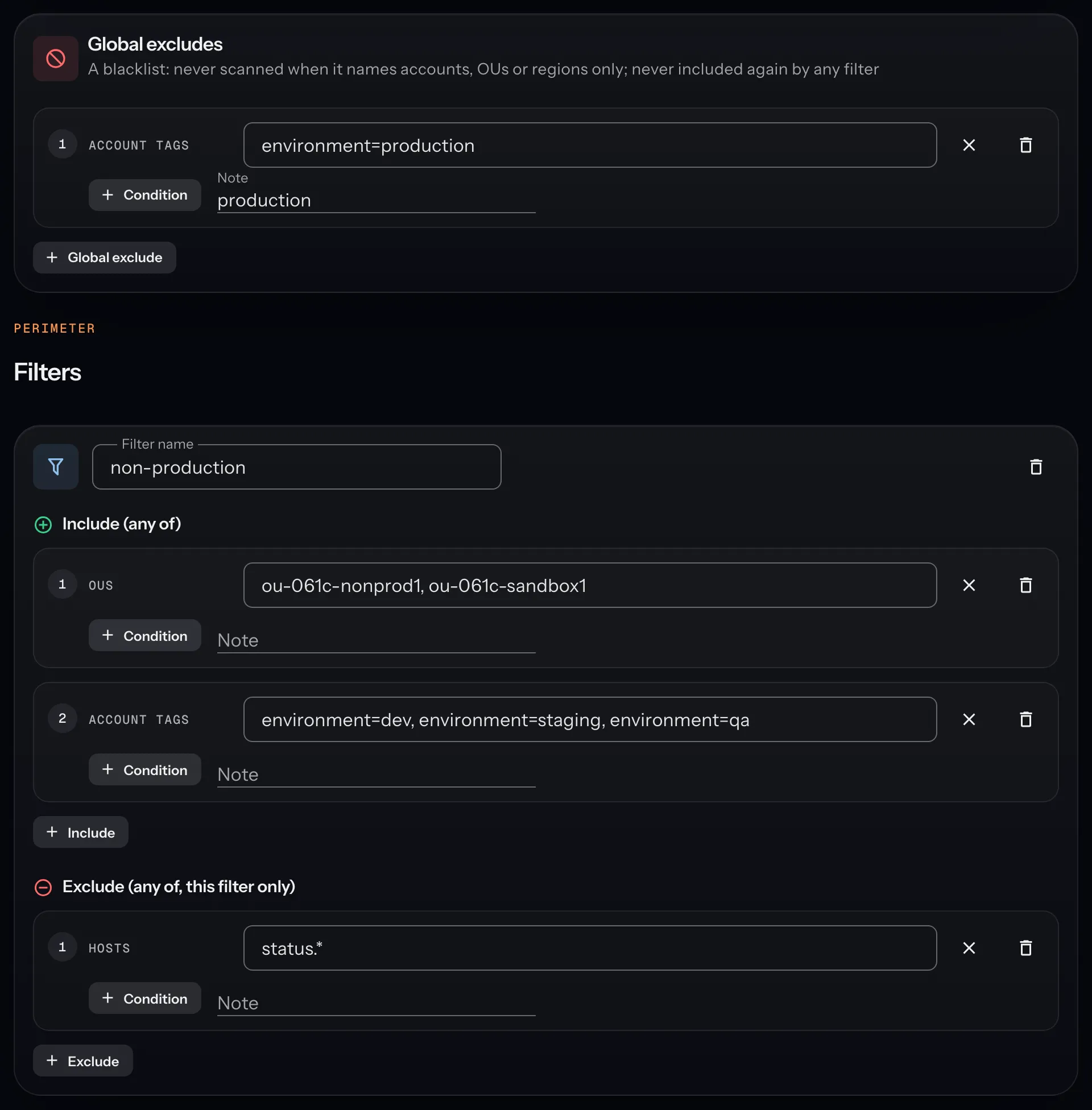
How a rule gets in
- Global excludes come first. If one of them matches a rule, the rule is excluded, whatever the filters say.
- Then each filter on its own. A filter takes a rule when one of its includes matches it and none of its excludes does.
- One filter is enough. A filter's excludes apply to that filter only.
- A rule no filter includes is Out of scope. One that only a filter's exclude stopped is Excluded.
 A load balancer rule
- 1Does a global exclude match it?YesExcluded
- 2Does one filter take it? One of its includes matches, and none of its excludes.YesIn the perimeter
- 3Did a filter's exclude stop it?YesExcludedNo: no filter includes itOut of scope
Conditions
An include or an exclude is a set of conditions, added with Condition. A rule must meet every condition. Within one condition, one value is enough.
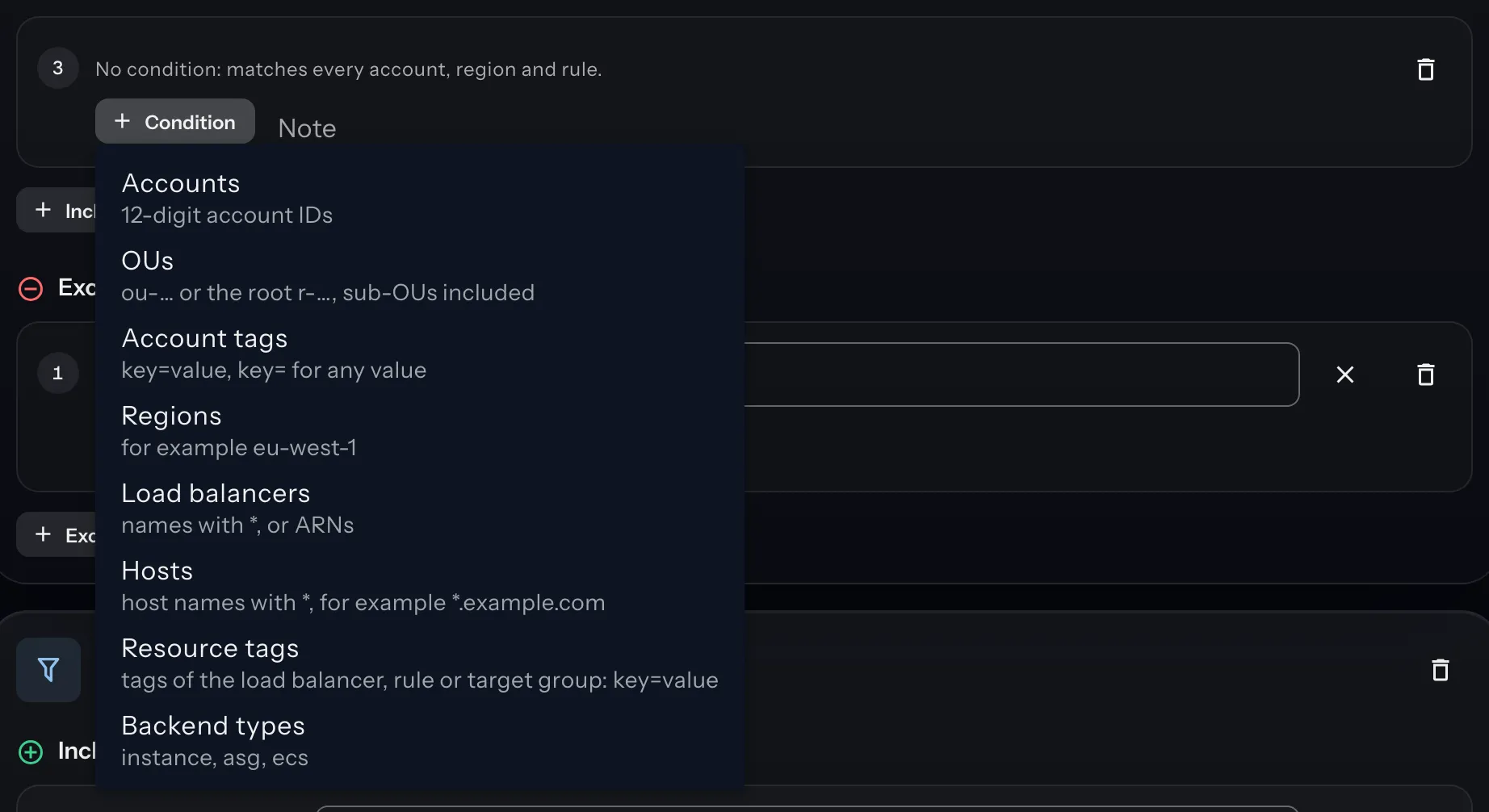
| Condition | Values |
|---|---|
| Accounts | 12-digit account IDs, such as 111122223333. |
| OUs | Organizational units (ou-…) or the root (r-…), with their sub-OUs. |
| Account tags | The accounts' tags in AWS Organizations: key=value, or key= for
any value. |
| Regions | Region names, such as eu-west-1. |
| Load balancers | Names with *, such as web-*, or full ARNs. |
| Hosts | The rules' host names, with *, such as *.example.com. |
| Resource tags | Tags of the load balancer, the rule or the target group: key=value, or
key= for any value. |
| Backend types | instance (EC2 instances), asg (Auto Scaling groups),
ecs (ECS services). |
- Names and hosts match whatever their case.
- Several tag keys in one condition must all be there. For one key, any of its values will do.
- An include without any condition matches every account, region and rule. The lint flags it.
Global excludes
- No filter can include again what a global exclude matches.
- A global exclude naming only accounts, OUs, account tags or regions acts before any call. Dormeto never reads those accounts or regions.
- The Exclude action, on a candidate or a workload, adds one more, with its author and reason (Workloads).
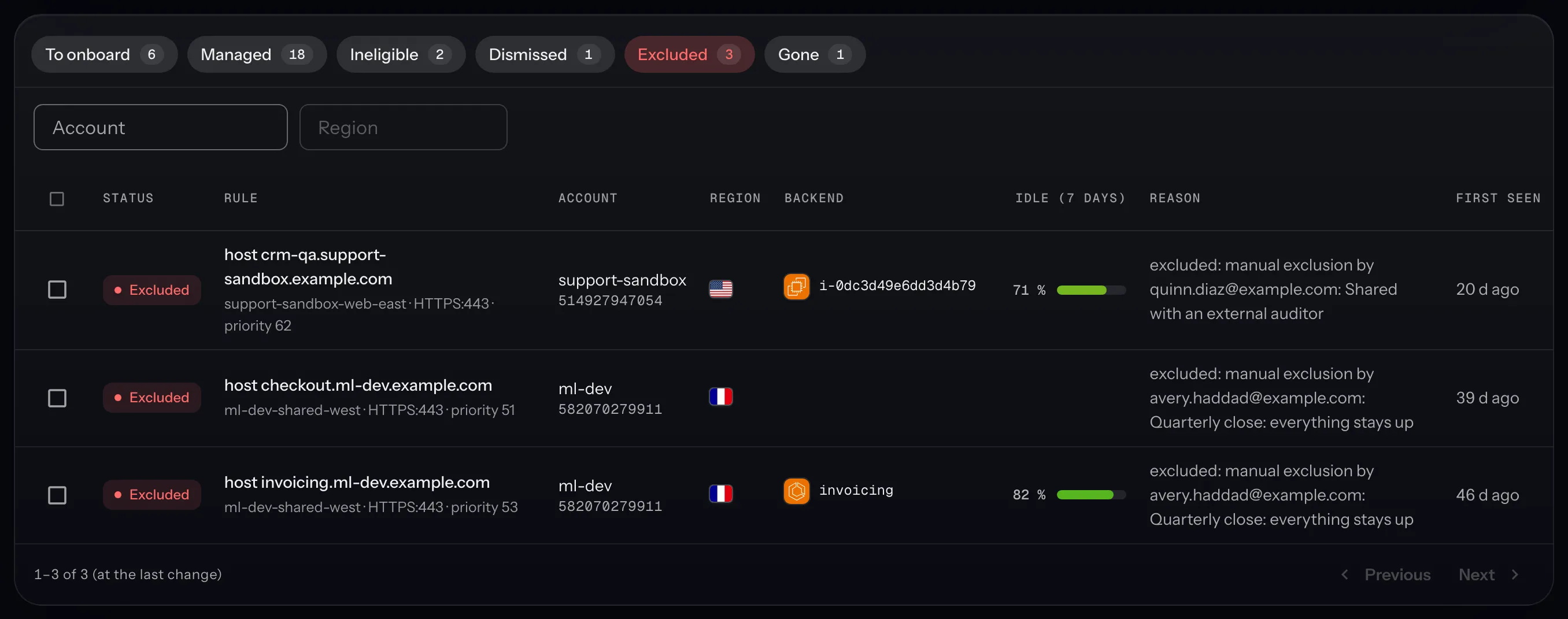
Example: Production accounts excluded by account tag.
Refresh
The period
- A run starts when the last one is older than Refresh every. The manager looks every hour.
- Run now starts one at once. It is refused while another run is in progress.
- A region without any load balancer in 3 runs in a row is then scanned every 7th run only.
Event-driven refresh
- When it is on, load balancer changes appear within about 5 minutes, not at the next run.
- At the next run, the manager installs a forwarder in each ready account, through the command role. A forwarder is a role, plus a rule in each region a CloudTrail trail covers.
- An account needs the command role and a CloudTrail trail that logs management events. Without them, the account keeps the periodic refresh only, and the Organization access panel says why.
- Only these accounts limits it to the account IDs you list. Empty, it covers every ready account.
- An event rescans its account and region only, even a region that empty runs were skipping.
- When you turn it off, the next run removes the forwarders.
Example: Event-driven refresh for a few accounts.
Lint findings
The manager checks the perimeter for includes that do nothing. Its findings appear on the Discovery view after a run, and under each include on the Perimeter page.
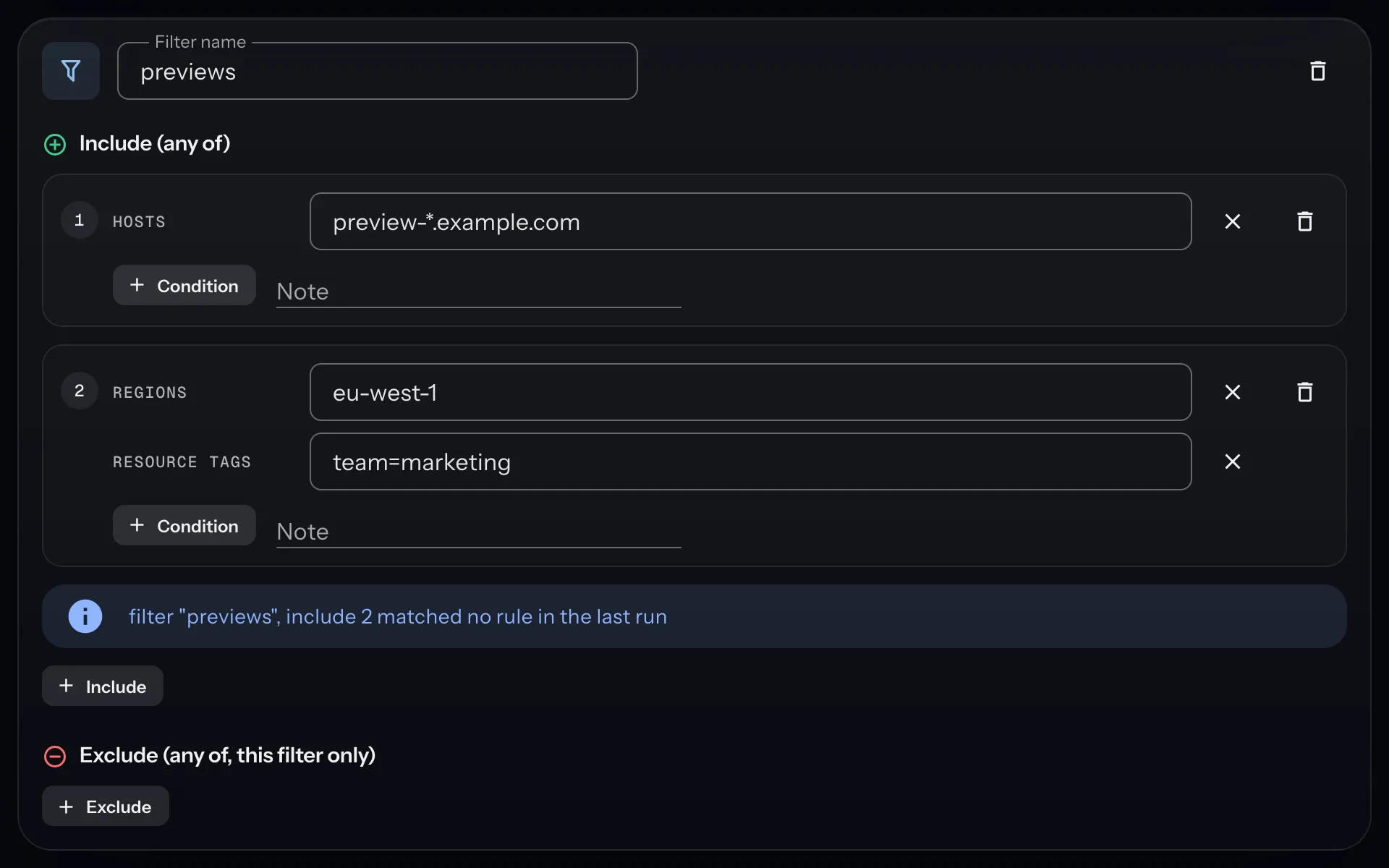
| The finding says | What it means |
|---|---|
| can never match: global exclude N covers it | A global exclude matches all this include could. Remove the include, or narrow the exclude. |
| can never match: its exclude N covers it | The same, by an exclude of the same filter. |
| includes every account and region | The include has no condition. Add one, unless you mean it. |
| only matched globally excluded accounts, regions or rules in the last run | A global exclude removed all it found. After a run only. |
| matched no rule in the last run | A note, not a warning: nothing there yet, or a mistyped value. After a run only. |
On the Discovery view, the box reads "Some inclusions of the perimeter are useless" when a finding is a warning, and "Perimeter notes" otherwise.
Example: Reading the lint findings.
Examples
Each example says which field of the Perimeter page to fill, and with what.
One organizational unit only
Why: start with the staging accounts, all under one OU.
- Filter, named
staging. - Include 1, condition OUs:
ou-ab12-34cd56ef.
The accounts under that OU, and under its sub-OUs, are scanned. The others are skipped before any call: "no filter includes this account".
Production accounts excluded by account tag
Why: production must never nap, whatever a filter includes.
- Global exclude 1, condition Account tags:
env=production.
Accounts tagged env=production in AWS Organizations are never read. Tag a new production account, and the
next run leaves it out.
A list of regions
Why: your applications run in two regions. Scanning the others only takes time.
- Turn off Every region enabled in each account.
- Regions:
eu-west-1, eu-west-3.
Every account of the perimeter is scanned in those two regions only. To limit one filter instead, give its include a Regions condition.
Load balancers carrying a tag
Why: teams opt in by tagging their load balancer.
- Filter, named
opt-in. - Include 1, condition Resource tags:
dormeto=enabled.
A rule is in when its load balancer, the rule itself or its target group carries dormeto=enabled. The
other rules are Out of scope. Every account and region is still read: a tag is only known once read.
Event-driven refresh for a few accounts
Why: the development accounts change every day, the others rarely.
- Event-driven refresh: on.
- Only these accounts:
111122223333, 444455556666.
At the next run, the manager installs a forwarder in those two accounts, if they are ready. Their changes then appear within about 5 minutes. The other accounts stay on the period.
Reading the lint findings
Why: a perimeter grows, and some includes end up doing nothing.
With the global exclude above, take a filter staging whose include 2 is Account tags
env=production. It gets this finding:
filter "staging", include 2 can never match: global exclude 1 covers it (account tags env=production)
Read it from left to right: the filter, the include's number, why, then the exclude's conditions. Here, remove include 2. An include without any condition gets "includes every account and region" instead.